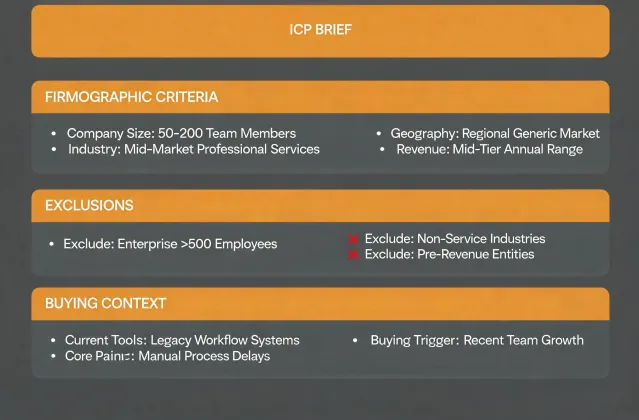
01 · Frame
Write the fit rule before searching
Name the segment, trigger hypothesis, geography, relevant role, exclusions, and freshness window. A narrow brief prevents a large list from becoming the goal.

Human-reviewed sales engagement
Mixmax helps founders, SDRs, and outbound agencies turn a focused brief into a reviewable sequence. Research context, contact checks, suppression, and approval remain visible before anyone sends.
npx -y @okki-global/okki-go-taroballHow it works
Name the segment, trigger hypothesis, geography, relevant role, exclusions, and freshness window. A narrow brief prevents a large list from becoming the goal.
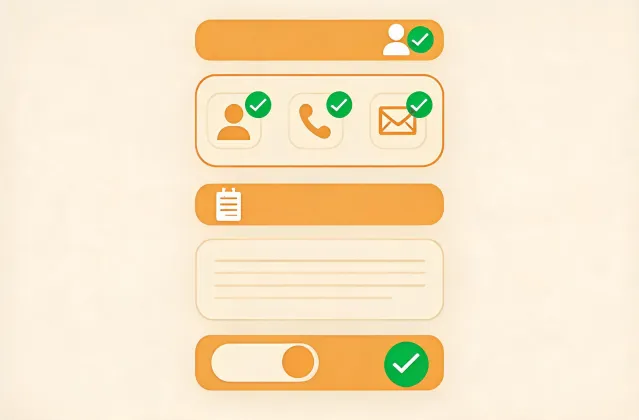
Separate observed facts from inference. Verify the business email, respect suppression and opt-out status, and let a person decide whether the message is relevant.
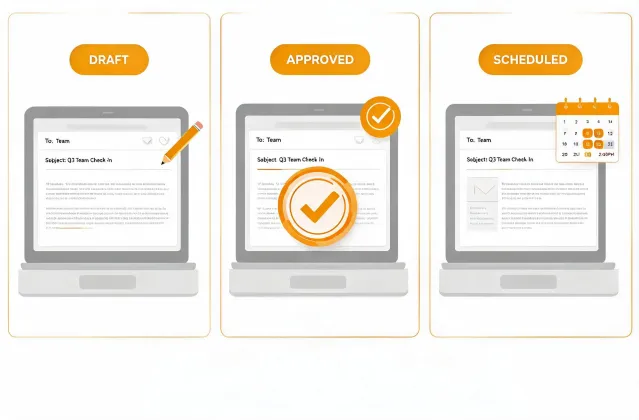
Draft concise steps with a clear stop condition. SPF, DKIM, and DMARC health support delivery, but no setup can guarantee inbox placement or replies.
Capability evidence
Buying intent remains a hypothesis until reviewed.
A valid address is not permission to contact.
Stale or conflicting evidence stays visible.
Sending remains disconnected by default.
Auditable preview
Account: Example Systems
Role: Revenue Operations leader
Draft angle: Reduce manual sequence QA during team growth
Status: Awaiting human approval
Install runbook
npx -y @okki-global/okki-go-taroballSuccess: the exact command is in your clipboard. Common error: copying a prompt symbol.
Use a supported terminal and inspect the package prompt. Success means the package completes without a runtime error.
Add provider credentials through a secret store with minimum scope. Never paste keys into a prompt, repository, or shared log.
Test a known cohort. Check match logic, provenance, recency, suppression, and the human approval state before connecting outreach.
FAQ
No. Copying only changes your clipboard. You still need to run the command, review its prompts, configure permitted connections, and inspect the result.
Use your runtime secret store, grant the smallest practical scope, rotate test credentials, and keep secrets out of prompts, exports, screenshots, and logs.
The recommended workflow keeps sending disconnected until a person approves relevance, contact status, claims, suppression, opt-out language, and applicable regional requirements.
No. Verification, SPF, DKIM, and DMARC are useful controls, but mailbox policy, reputation, content, timing, and recipient behavior still affect delivery.